By Huda Kurniawan
As a developer, I’m always looking for ways to improve my workflow, especially when it comes to AI-assisted coding. While tools like ChatGPT and Copilot are great, they often come with usage limits or pricing concerns. That’s when I stumbled upon Groq’s free AI models—a promising alternative that could enhance my coding experience in Cursor, my go-to AI-powered text editor.
Curious about how well it would work, I decided to integrate Groq into Cursor. In this post, I’ll walk you through my experience, the setup process, and whether it actually improved my productivity.
Why I Wanted to Use Groq’s AI in Cursor
I’ve been using Cursor for a while, and I love how its built-in AI helps with code generation, debugging, and refactoring. But sometimes, the existing AI models can be slow or expensive, especially when working on complex projects.
Now, Cursor already provides free usage of GPT-4 with some limitations for free users, and their system is already optimized with custom system prompts for better accuracy. So, if you haven’t hit your free allocation, it’s usually best to stick with Cursor’s default AI.
However, when I ran out of my free allocation, I wanted an alternative that wouldn’t disrupt my workflow. That’s when I discovered Groq, a company offering high-speed inference for various open-source AI models—completely free.
What caught my attention was that Groq doesn’t just provide one model—it supports various LLMs from different providers, including:
- whisper-large-v3-turbo (for speech-to-text tasks)
- llama-3.3-70b-versatile (a strong alternative to GPT models)
- deepseek-r1 (optimized for coding and reasoning tasks)
If I could set it up in Cursor, I’d get an extra AI assistant without additional costs. So, I gave it a shot.
Setting Up Groq’s Free AI Model in Cursor
The setup turned out to be surprisingly simple, and if you want to try it, here’s what I did:
Step 1: Get Your Free API Key from Groq
Groq provides free access to its AI models via an API key.
- Head to Groq’s website.
- Navigate to the Free API Key section.
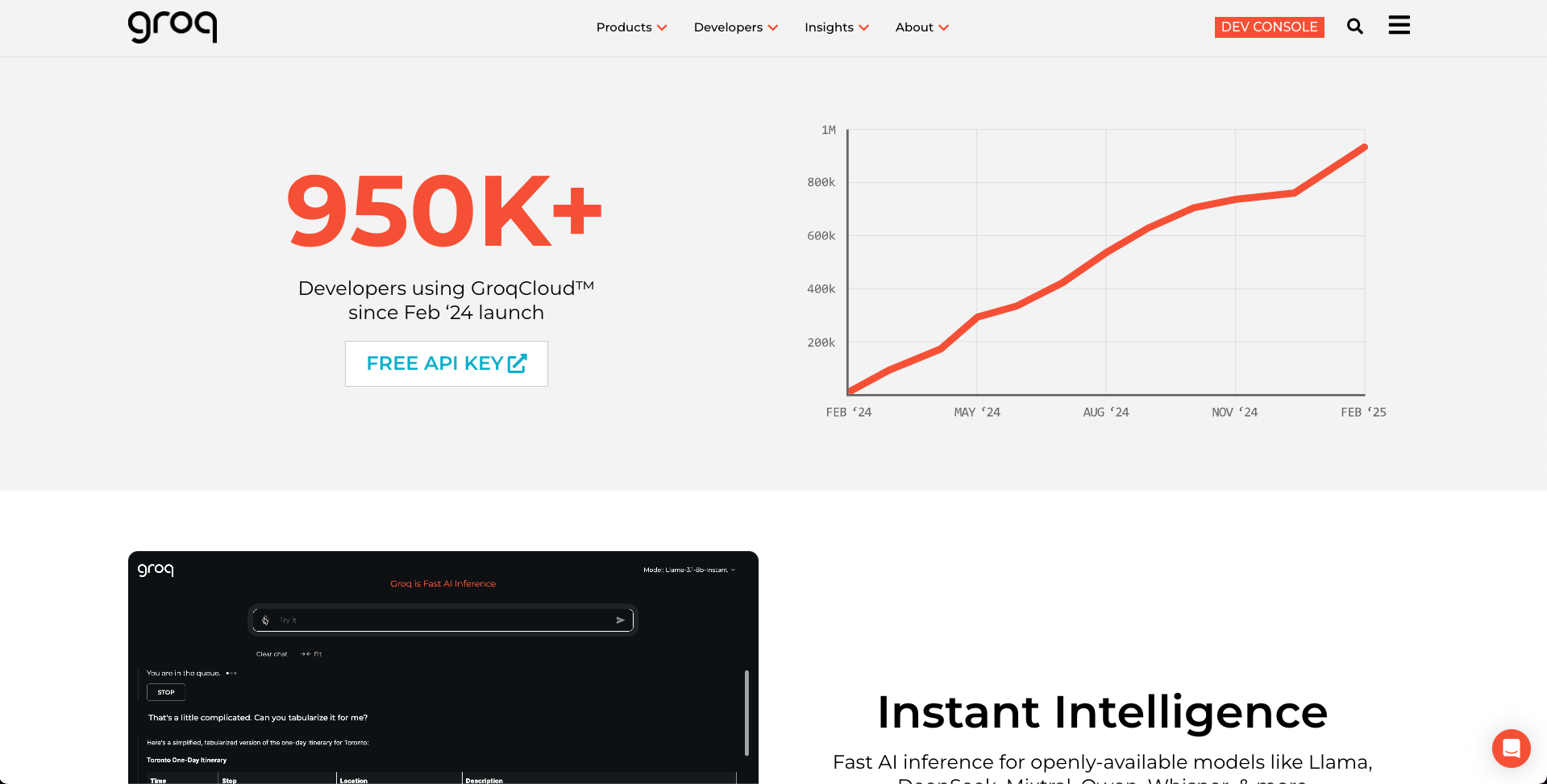 Create an account with your email or GitHub account.
- Once logged in, go to API Key and click Create API Key.


- Copy the key and keep it secure.
Step 2: Install Cursor (If You Haven’t Already)
If you’re new to Cursor, it’s an AI-powered text editor built specifically for developers. You can download it from cursor.com.
Step 3: Configure Cursor to Use Groq’s AI
- Open Cursor and go to Settings → Cursor Settings.

- Navigate to Models menu.
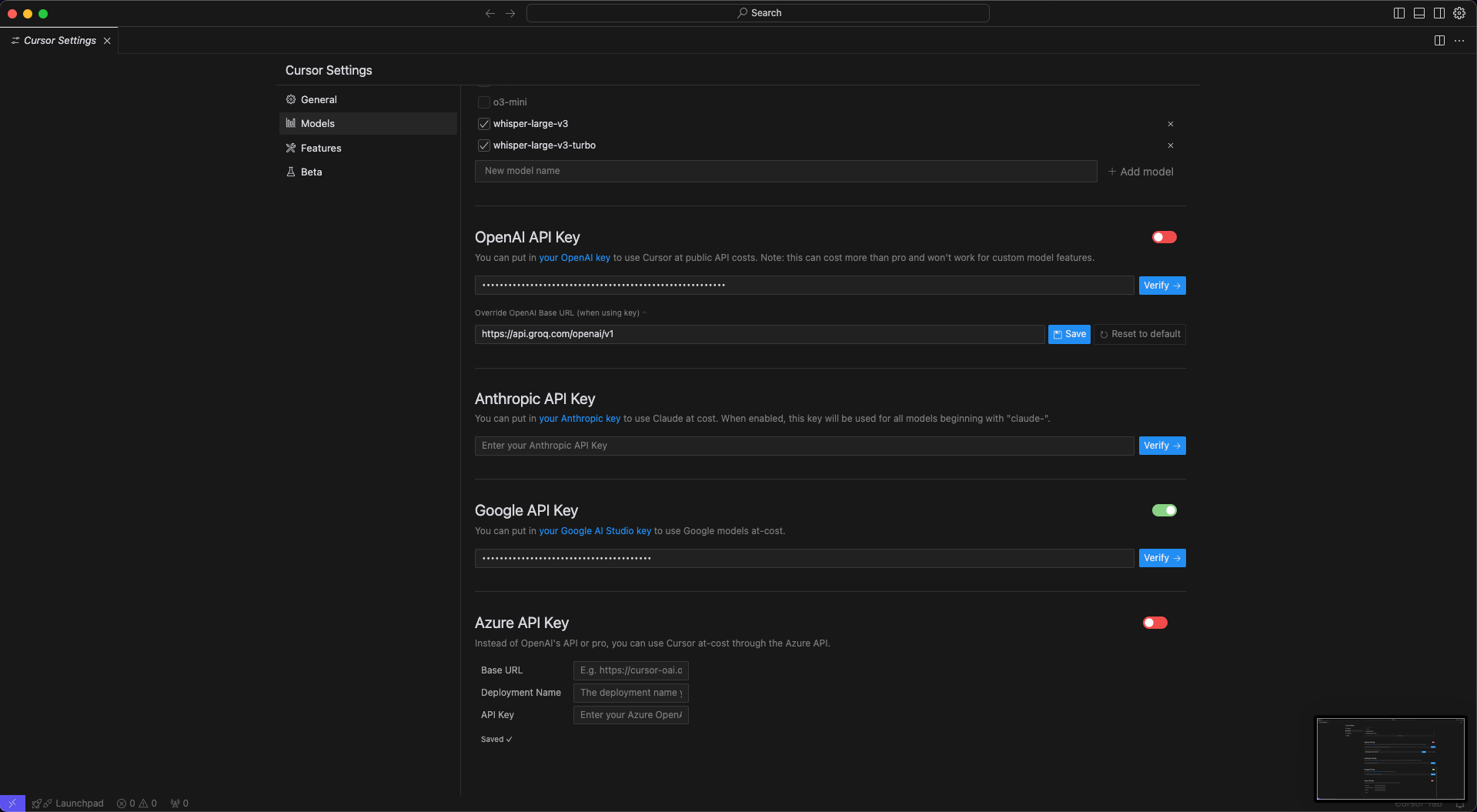
- Go to OpenAI API Key section and click Override OpenAI Base URL (when using key).
- Enter this Base URL
and click Save.
- Go to Groq’s Documentation → Models.

- Add models that are available by copying the Model ID into Cursor.
- Uncheck any models that Groq doesn’t provide.
- Click Verify to make sure everything is correct.
That’s it! Cursor will now start using Groq’s AI for code suggestions, completions, and debugging. 🚀
How Well Does It Work?
I tested Groq’s AI model on different coding tasks, and here’s what I found:
✔️ Speed: Groq’s AI responses were noticeably faster than some other models I’ve used.
✔️ Accuracy: The code suggestions were decent, especially for common tasks, but it still needs manual tweaks.
✔️ Cost: It’s free, which makes it a great budget-friendly alternative.
However, it doesn’t replace more advanced models like GPT-4 Turbo, especially for complex reasoning. If you still have free usage left in Cursor, it’s best to use its built-in AI. But when you hit your limit, Groq is an excellent fallback.
Would I Keep Using It?
For quick coding tasks, yes. Having Groq’s AI inside Cursor gives me an extra tool in my development workflow, and I love the cost-saving aspect. While it’s not perfect, it’s definitely worth trying—especially if you want to explore AI-assisted coding without spending a dime.
If you’re using Cursor and run out of your free allocation, switching to Groq’s free models is a great way to continue AI-assisted coding without interruptions.
Final Thoughts
This experiment reminded me how exciting AI development is right now. Whether it’s open-source models, self-hosted LLMs, or free APIs like Groq’s, developers now have more choices than ever.
I’ll continue testing different AI setups in Cursor, and if I find something even better, I’ll be sure to share it in a future post. Stay tuned for more AI and coding insights! 🚀