
watchmydayapp
Mobile Productivity Application with Structured Time Visualization Framework
Executive Summary
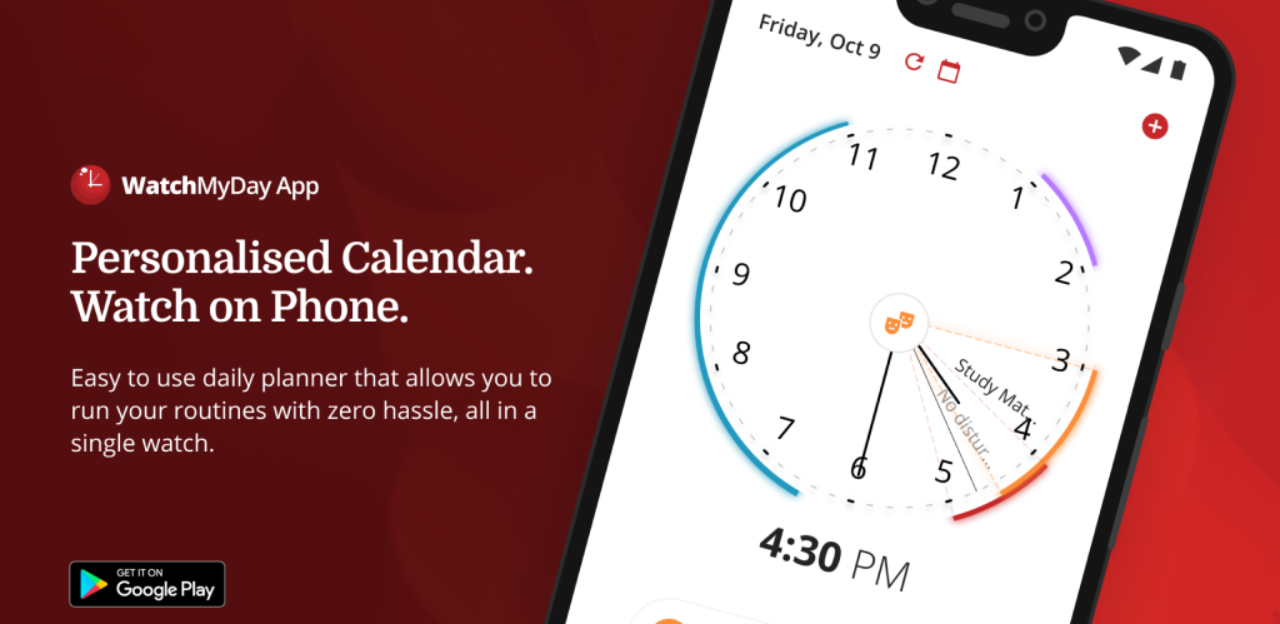
Kulkul Technology designed and developed WatchMyDay, a mobile productivity application that reimagines traditional calendar planning by using an intuitive watch-dial interface to display tasks and events. The project was initiated to address usability challenges faced by users—particularly those who struggle with conventional time-block views in standard calendar tools—by providing a visually engaging and seamless time-tracking experience. Instead of the typical horizontal or grid calendar format, WatchMyDay uses a circular dial interface that aligns more naturally with how people perceive time throughout the day.
Kulkul built the Android application to synchronize multiple calendars such as Google and Outlook, enable easy creation and editing of events, manage reminders and alarms, customize visual themes and event colors, and offer a home screen widget for quick glanceability. To deliver the solution, the team leveraged modern technologies including Kotlin for native development, React and Gatsby for associated web components, Tailwind CSS for design, and Firebase for backend infrastructure. The final deliverables included a fully functioning productivity app published on Google Play Store, supported by a landing page and a dedicated beta tester page, equipping WatchMyDay with both a user-ready product and a growth channel for early adopters.
The Challenge
Our conventional time block view calendar in Google Calendar might be pretty okay. But some people with ADHD could struggle to track their schedule with this view.
WatchMyDay provides a better visualization by using watch dial view to track your time seamlessly.
Our Approach
Kulkul Technology built a mobile app with dial watch feature as calendar planner. It is more visually aesthetics than conventional time block view as in Google Calendar.
Key features:
- Sync and manage different calendars in one place e.g. Google, Outlook, phone etc. calendars
- Easily create and edit calendar events. Set different alarms and reminders for these
- Personalize your clock, event colors, and background
- Add the widget to your home screen so you can quickly view upcoming tasks and routines without going into the app
The Solution
The final deliverable for this project were:
- A fully functional mobile application published in Google PlayStore
- Landing page and beta tester page
Project Data
SERVICES
- Mobile App Development
- Android